4 Tips to make the most of Google Image Search
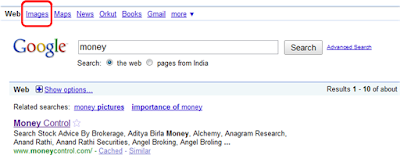
When it comes to using images for presentations, Google is the first choice for most of us. The sheer variety of images one gets is wonderful. However you should not forget to check the copyright status of the image you are downloading. I had referred to this in my last post as well. In this post we shall discover tips on how to use Google Images better. Show Options to Filter Your Search Google gives you a great option to filter your search. Click on the 'Show Options' button on the top and you will discover wonderful options to make your search faster, better and more relevant. Let us take an example to understand what we can accomplish with 'Show Options'. Say you are searching for images related to 'money'. With Show Options you can do the following: 1. Search by (image) size 2. Search by type 3. Search by colour 1. Search by size Low resolution images are not good for presentations. While downloading presentations you need to check the resolution of the ...